Processing Step (Station)
Topics
General
Workflows consist of stations that are traversed by documents when executing a workflow. Workflows are controlled by the processors assigned to a station.
At each station, the documents located there along with their deadlines and tasks are displayed. A specific stay duration is provided at each station within which the documents should be forwarded to the next station.
When forwarding documents (control step) to a successor station, linked tasks can be completed, approvals granted, or distributions executed.
Actions on a Station
Open the Properties page of a station by selecting it in the file tree or in the result list of a search.
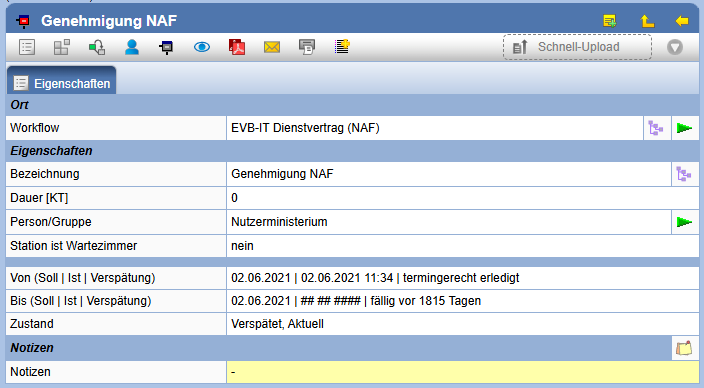
Depending on your rights at a station, the following actions can be performed:
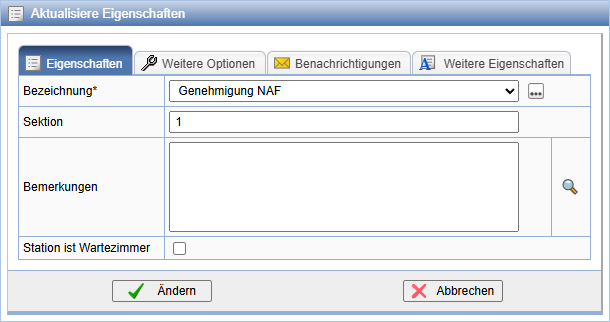
| Change the properties of a station. This action is not possible for already visited stations. | |
| Display registration information. | |
| Add a document from the clipboard at the selected station. (Only visible if documents are in the clipboard.) | |
| Show defects from the defect report. (Only visible if a defect report is in the station.) | |
| Confirm receipt of all documents or all indexes. | |
| Execute control step. | |
| View diagram representation of the workflow. | |
| Send a message or email with information about this station. | |
| Creates a PDF document with the properties of the station to subsequently print it. The file can be stored in the documentation. | |
| Set person/group for the station. (only available for Ad-Hoc Workflows) | |
| The action is available for completed stations if a successor station is current. With it, stations can be reactivated (set to current). | |
 |
If necessary, the Quick Upload is available |
Quick Upload
If in a project the Auto Import is possible, the Quick Upload is available via drag & drop. Here, similarly to Auto Import, only properly encoded documents are allowed. Additionally, you must assign them to the station, and the station must be active.Update Properties
Execute Control Steps
Select Documents
If you want to perform a control step at a station, press
in the action bar on . A series of dialog windows will follow.
At the beginning, you can select the documents which should be considered in the following processing steps. By default, all documents of the station are considered. If you do not want to forward certain documents, you have the following options to remove them via multiple selection.
| Removes the selected documents from the station. | |
| Removes the documents from the current selection. They are available for later processing at the station. |
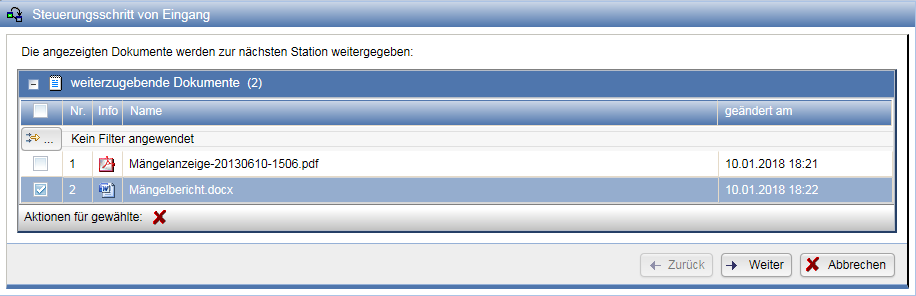
When you have finished your selection, confirm this step with Next. You can adjust your selection later via the button Back.
If you want to forward only part of the documents to the next station, a query will appear. Here you can choose whether the remaining documents should be available for later processing (the station remains active), or whether the documents should be set to 'remaining' and the station to 'Completed'.
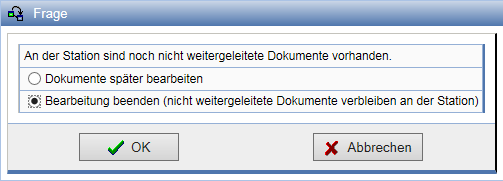
If no documents are available for forwarding at the current station, there is the option to set the workflow to completed when executing the control step.
Grant Releases
In the following dialog, it is possible to grant releases. You can either grant each document an individual Release or grant the same one to multiple documents via multiple selection.
If no release should be granted to a document, it can be removed from the list using the multiple selection via the action
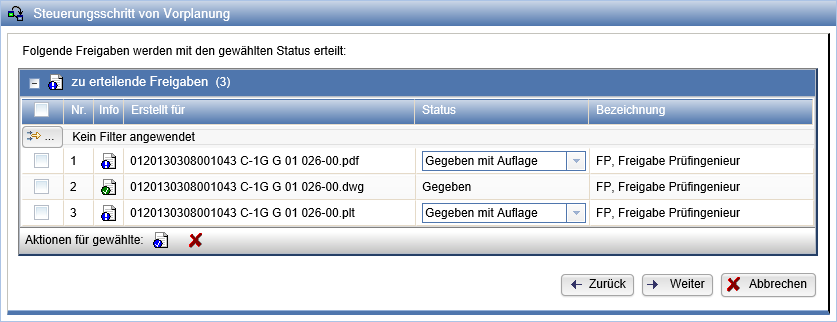
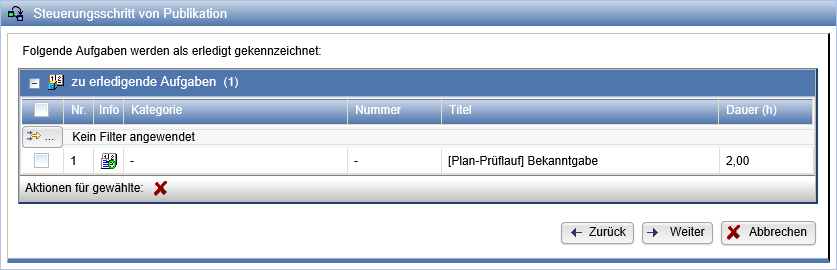
Edit Tasks
If tasks have been assigned to a station, they are marked as completed upon completion of the station. If the tasks still need to be processed, there is the option to deselect them at this station via multiple selection. These tasks will then not be marked as completed.
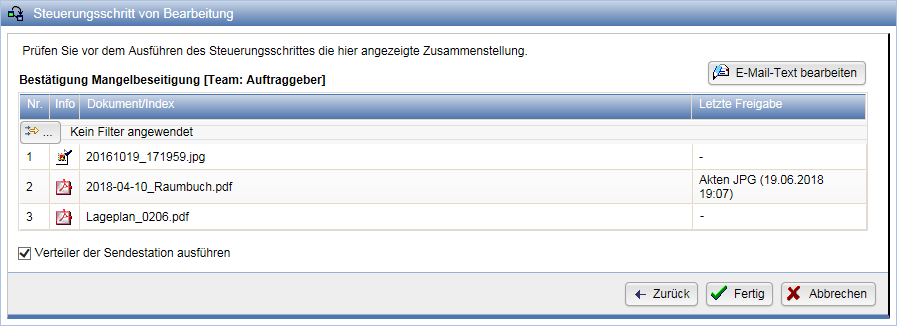
Finally, you see an overview of all documents that are forwarded to the next station. If necessary, you can once again Back and complete previous lists or abort the control step. If a distribution list is set for the current station, it can optionally be executed. If the workflow was configured to notify via message and/or email upon reaching a station (referring not to the station's distribution list), you can specify here each time the email textcan be adjusted. If the document compilation is correct, confirm the control step with Done.
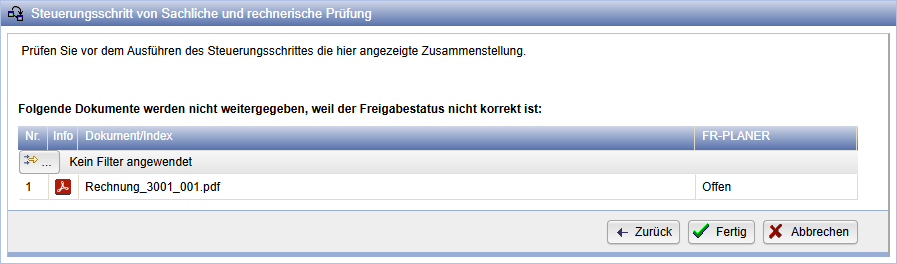
If the release status of the document is incorrect, this will be reported when executing the control step.
Actions for documents at a station
On the properties pages of stations, the contained documents are displayed below the values.

For documents or indices, inserted ones are distinguished from those received from the previous station and displayed in separate tables accordingly. For individual documents and indices located at stations, the following actions can be performed:
| Confirm receipt of the document or index. | |
| Set the document at the station as remaining. | |
| Re-activate the document or reset the remaining status (appears as soon as at least one document has been set to remaining). | |
| Change the stayof the documents at a station. If multiple documents are located at a station, you can extend them individually directly or combine them via multi-selection. | |
| Execute the control step for the selected documents. | |
| Remove the inserted document from the workflow. | |
| Download the document directly | |
| Add the document to the download order. | |
| Copies the document to the clipboard. | |
| Expand the document in the tree. |
Documents moved to the trash while still being in a workflow are displayed with a strikethrough.
Predecessors and successors of a station
At the bottom of the data sheet, if available, you see the predecessor station and the successor station(s). The successor stations are those that follow directly after the current station (a document can also be forwarded to multiple stations).
You can also disable connections to subsequent stations at a station if documents
should not be sent there. To do this, click on the icon under Action
for the successor station . The connection to the successor station is disabled and
the icon changes to
.

Assign person/group to a station
Persons assigned to a station are responsible for executing the control step. Ad-hoc workflows allow the workflow manager to change the persons or groups of a station after the workflow has started.
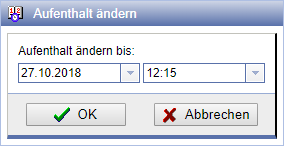
Change Stay
With the action you can adjust the stay and thus the End Date (planned) for one or more documents.
If necessary, the End Date of the Station and the Workflow will also be updated. The new date must be after the Start Date (planned) and the Start Date (actual).