Search
Topics
General
The incoming and outgoing journals contain reports on communication activities performed, such as sending emails, distributions, and download orders.
The incoming journal collects information on all documents incorporated into documentation via PlanTeam-SPACE. Additionally, received messages are logged here. For example, it is possible to search for a specific period to identify which project participants uploaded which documents.
The outgoing journal collects information on all documents loaded from PlanTeam-SPACE. Furthermore, outgoing emails and messages are logged. For example, it is possible to search for a specific period to identify which documents were downloaded by whom or to whom you sent emails.
Search in the Incoming Journal
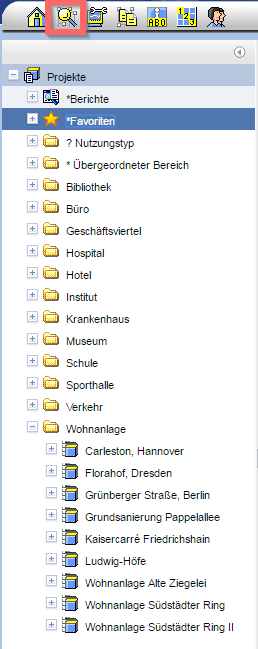
Via the symbol in the menu bar or
via the corresponding configuration through the
navigation buttons in the header,
open the search form. Select the entry "Entries in the
Incoming Journal" in the field Search for the entry "Entries in the
Incoming Journal".
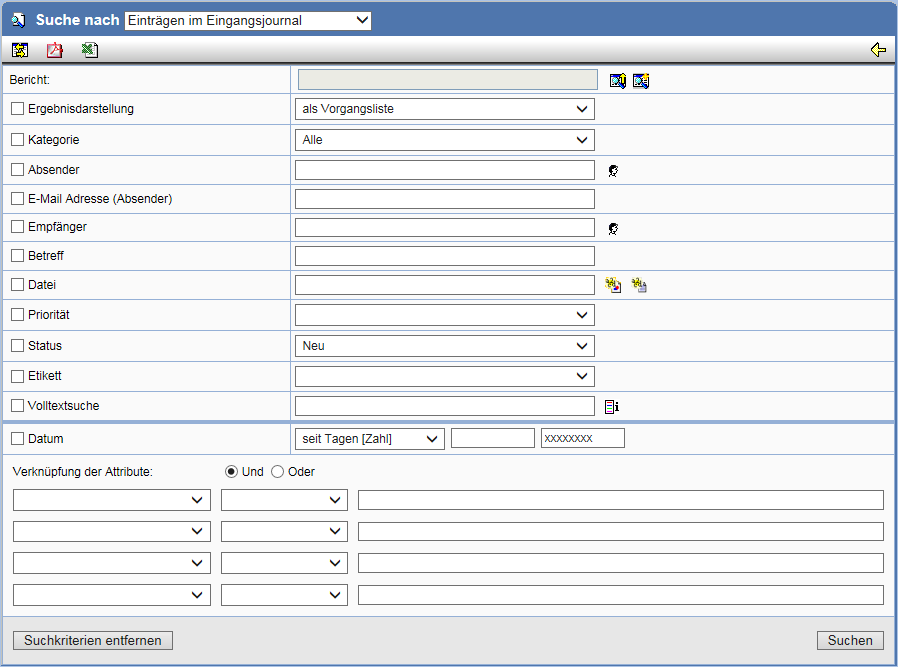
Enter the desired search criteria and start the Search with Search. Of particular importance is the entry in the field Category, which defines the basic journal types.
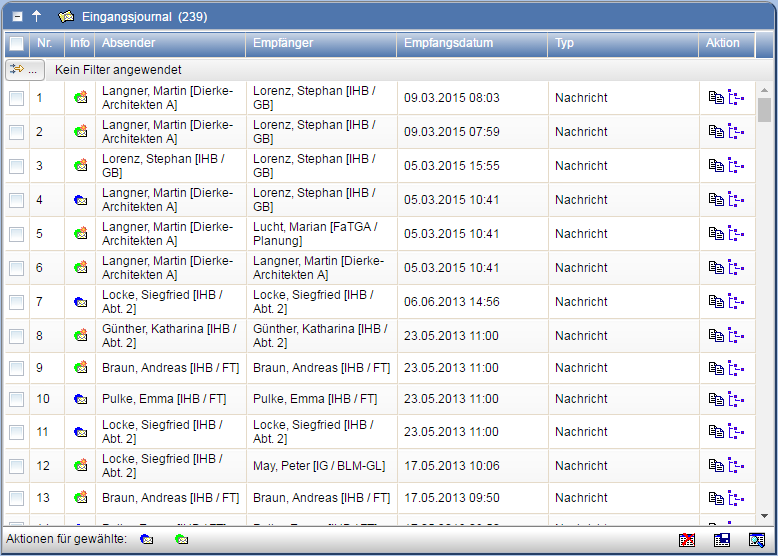
The result will be displayed to you in the form of a list.
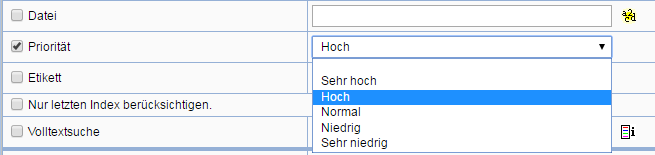
Priority as a Search Criterion
Emails and messages can be searched by priority.
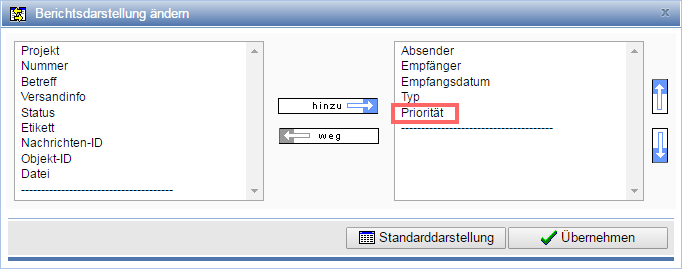
To identify emails and messages by priority in the result list, add them in the adjustment of the report displaythe attribute
"Priority" to the attributes used for the report.
Search in the outbound journal
Via the symbol in the menu bar or
with appropriate configuration via the
navigation buttons in the header
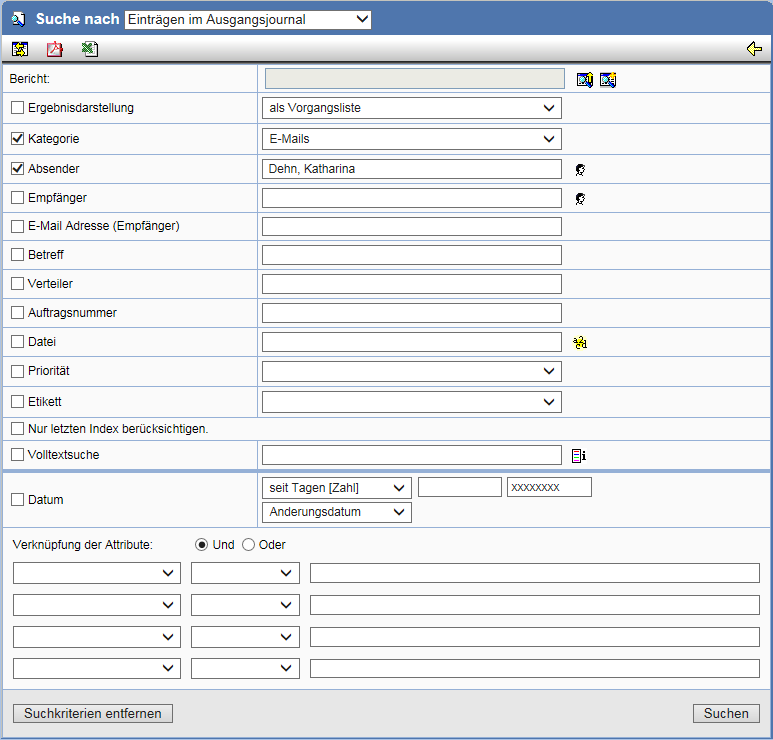
open the search form. Select in the field Search by the entry "Entries in the
outbound journal".
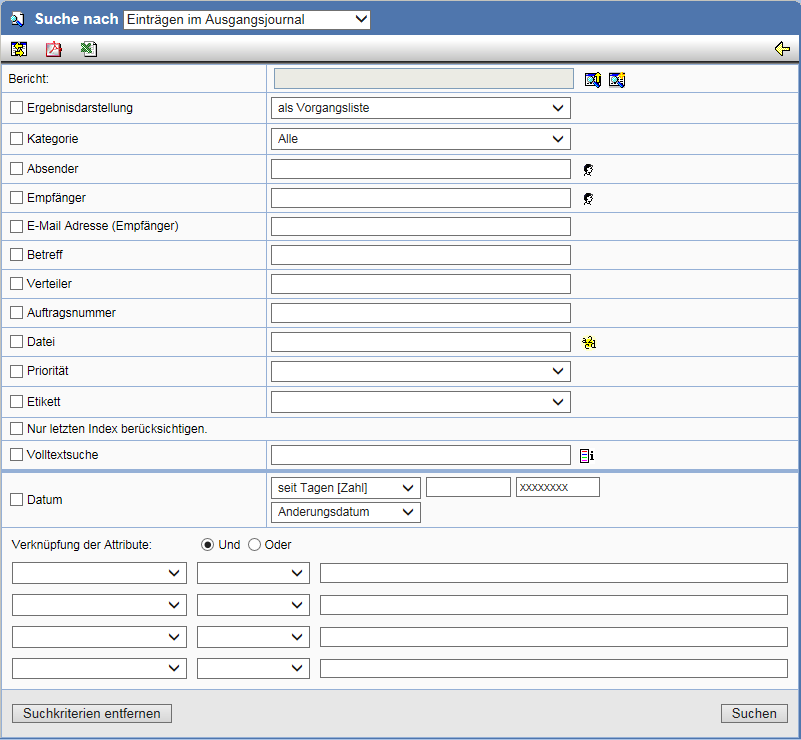
Enter the desired search criteria and start the Search with Search. Of particular importance are the entries in the field Result display and Category, which define the basic journal types and the display from different perspectives. In the field E-mail (Recipient) you can specify known parts of the recipient's e-mail address or recipients to restrict the result in this way.
The following selection options are available for the result display:
| as process list | Displays each process only once. |
| as journal list | Displays each individual action of a process. |
| as plan list (CAD documents only) | Displays the plans located in the outbound journal. |
| as plan list with recipients | Displays the plans located in the outbound journal, including recipients. |
| as plan distribution with recipients | Displays all recipients who have received a plan via a plan distribution. |
| as document list (documents only) | Represents the documents located in the outgoing journal. |
| as document list with recipients | Shows the documents located in the outgoing journal, including recipients. |
| as document distribution with recipients | Represents all recipients who have received a document via a document distribution. |
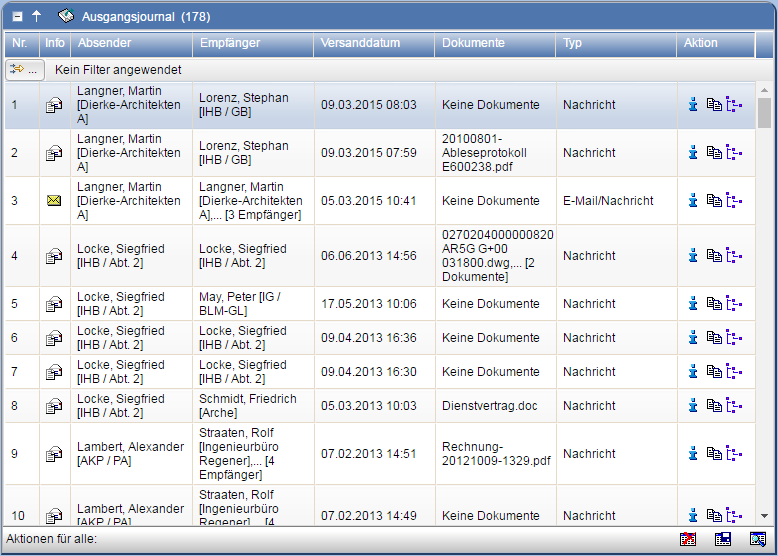
The result will be displayed to you as a list.
Incorporation into documentation
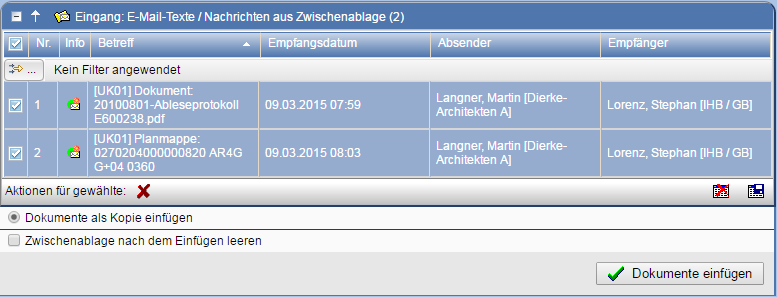
Individual entries in the search results can be transferred via the action to the clipboard
and subsequently available for insertion into
document folders. PDF files with cover letters and message texts are generated and stored as new documents here.
Search for already registered documents
Entries that have already been incorporated into the documentation can be found using the search criterion "Status".
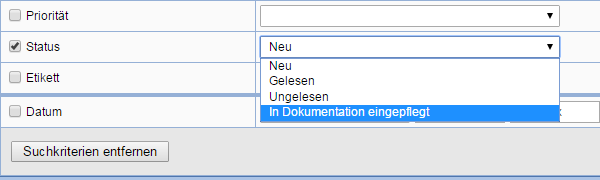
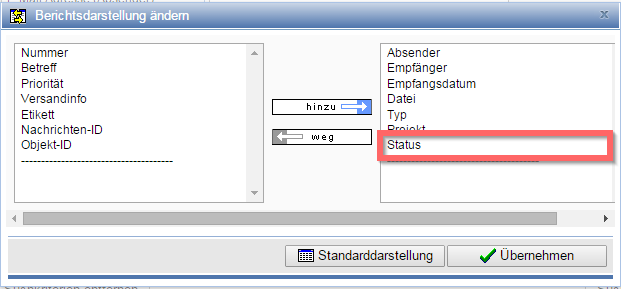
To identify entries that have already been incorporated into the documentation in the result list, add the attribute
"Status" to the attributes used for the report via adjustment of the
report display to the attributes.
Cross-project search
In the global search function, you can search for entries in incoming and outgoing journals across projects.
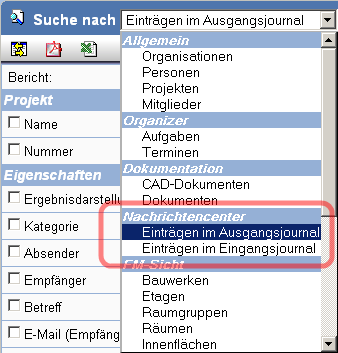
Select under Search for in the area Message Center the desired journal and then determine the search criteria.
Start the search by pressing Search.