Two-Factor Authentication
Topics
Configuration
Two-factor authentication increases the security of data stored in PlanTeam-SPACE. In addition to the conventional password, a second security feature is required during login. This measure can be optionally set up for each user.
Two-factor authentication can be enabled in the personal characteristics can be configured via the corresponding action.
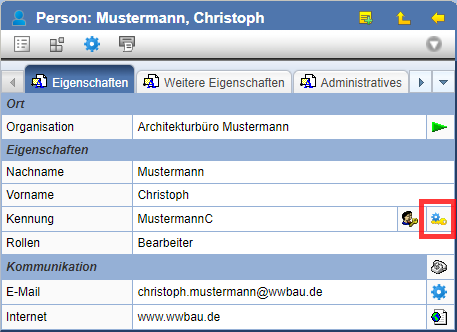
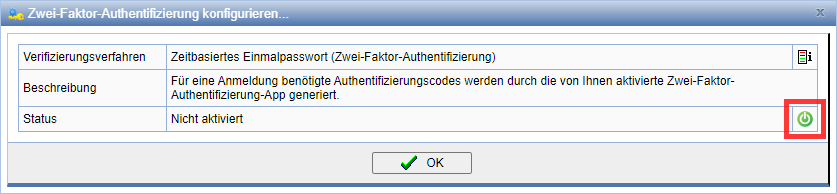
Two-factor authentication can be enabled via the button set up and connected to your end device.
The authentication app can be connected to PlanTeam SPACE either via the QR code or by manually entering the verification code.
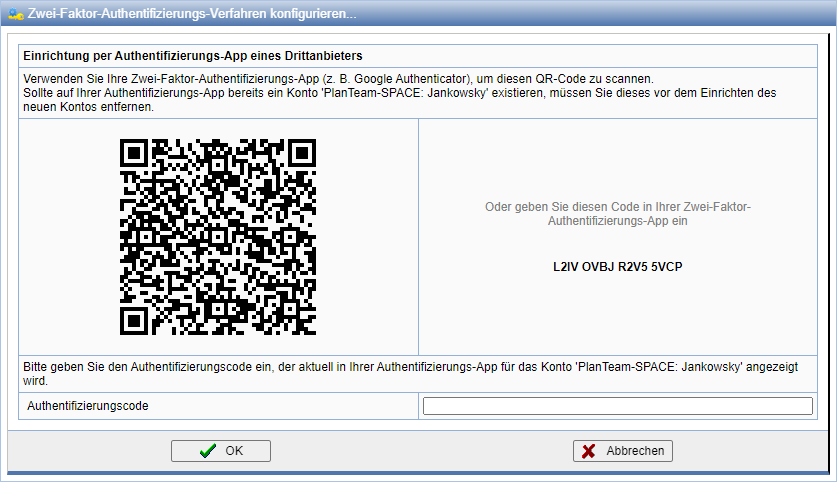
Authentication is performed via a time-limited one-time password, which is generated using a smartphone app via the TOTP method.
Registration
If Two-Factor Authentication is enabled, you will not be taken directly to the PlanTeam-SPACE home page after entering your password. First, you must enter the code currently generated by the smartphone app. After successful verification, you can access your workspace.