Work Areas
Depending on the configuration, PlanTeam-SPACE is divided into different work areas:
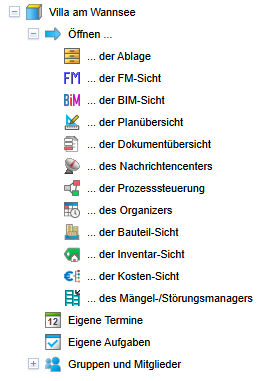
| In the Project Structure you can view addresses and project members of individual projects and their assignment to project groups. Additionally, you can create events and tasks for projects, project groups, and project members here. | |
| The Project Documentation contains all documents and plans (indexes and versions) of the individual projects. | |
| The Message Center provides an overview of all communication activities within a project. This includes all messages and emails sent within a specified period, all downloads, distribution processes, and set-up subscriptions. | |
| With the Tasks and Events you create and manage your activities and coordinate them with your employees. | |
| With the component Process Control you manage your processes, control started workflows, and monitor the processing status of ongoing processes. | |
| In the component Area Management plots, buildings, building parts, floors, rooms, and areas along with their associated attributes and documents are managed. | |
| The component Component Management implements the management of components and technical installations. | |
| The component Inventory Management offers comprehensive inventory and software management. | |
| The component Cost Management manages all relevant costs and consumptions of the projects. | |
| With the Defect/Incident Manager record all defects and incidents that have occurred and initiate further steps to resolve them. |
Project work areas can be selected in all trees via the menu item Open... or
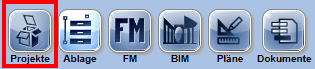
Switch... or via the Navigation bar. These actions are offered directly below a project in the project overview and within a project directly below the root node.
To return to the project overview, use the button in the navigation bar. The current project is then closed.
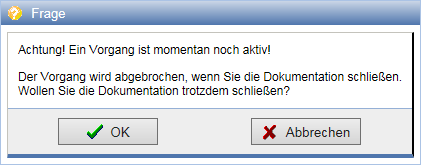
If an active process started by you is still running when closing the documentation, such as uploading documents, you will be notified accordingly. If the documentation is closed anyway, the process will be aborted.