Set Keywords
Keywords can significantly accelerate the search for objects. To do this, you must assign appropriate terms to objects.
Keywords can be set on property pages via the action to the right of the field Keywords.
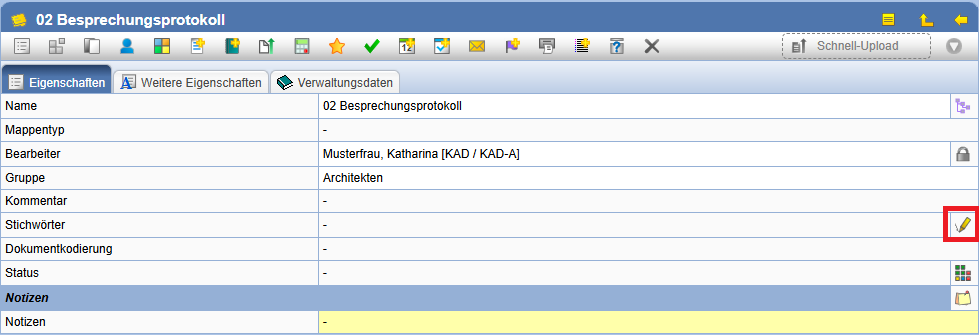
In the dialog shown below, you can select keywords.
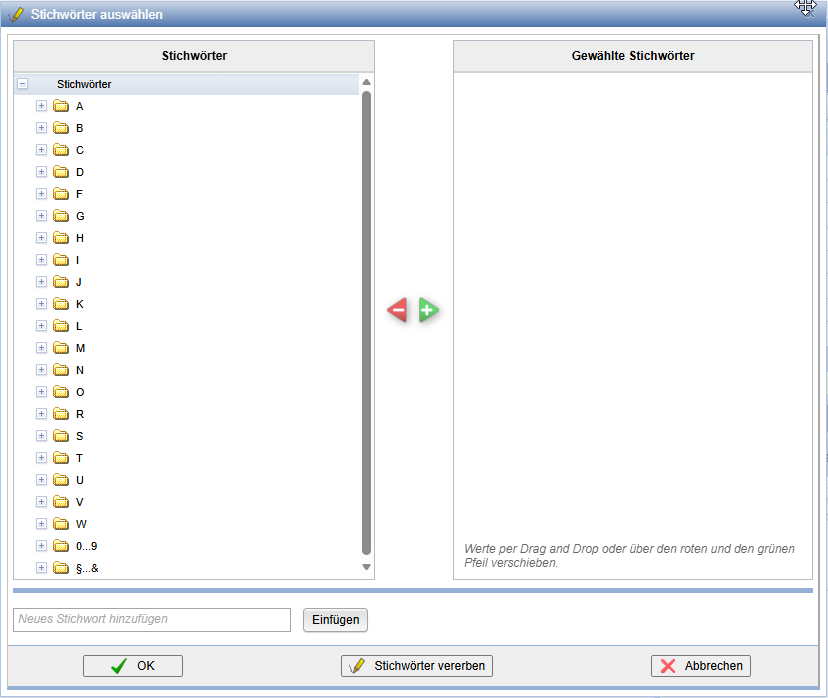
All available keywords are displayed in the left list, and all selected keywords are shown in the right list. Since many keywords are available, they are grouped by their initial letters in the left list.
Keywords can be added or removed using the buttons Add and Remove respectively. Then press OK to apply your selection. To discard the changes, press Cancel.
To add new keywords, enter the desired keyword into the field next to New Keyword and confirm it by pressing . The keyword will then be entered into the list of selected keywords. This action may be disabled by rights settings for certain users.
Via the action Inherit Keywords keywords can be inherited by subordinate elements (e.g., documents in folders).
In tables (for example: Last Planning Status), keywords can be set or removed simultaneously for multiple documents.