Evaluations and Area Calculations
In the FM view, areas can be evaluated according to DIN 277, by properties, inventory groups, and persons for the project, buildings, building parts, and floors.
Topics
General Information
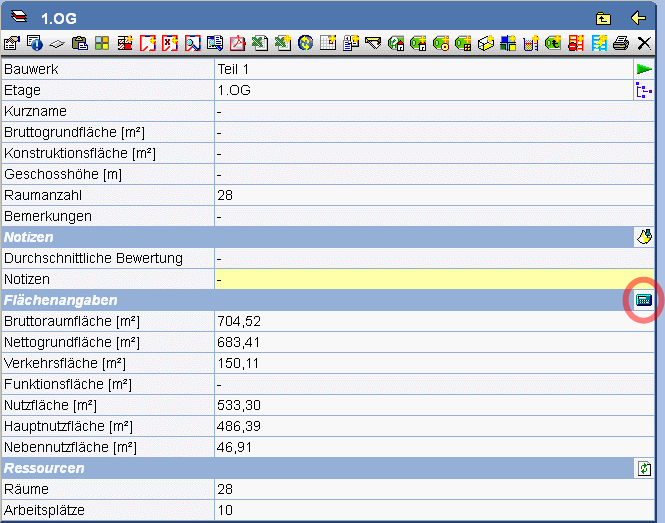
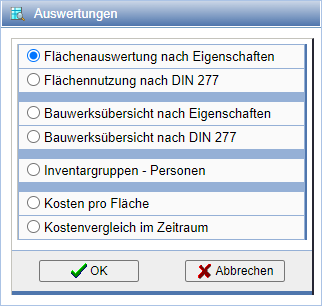
With the help of the function Evaluations you have many options to evaluate your projects. To do this, press the icon
in the action bar of the FM view.
All evaluation selection options are available only at the topmost root node of the object tree.
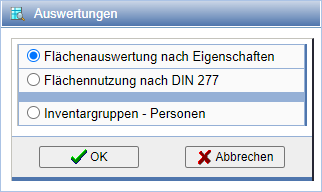
For buildings, floors, room groups, and rooms, the selection options are limited.
Area Usage According to DIN 277
For projects, buildings, building parts, floors, and room groups, you have the option to perform an area usage evaluation according to DIN 277. To do this, select the action Evaluations by pressing the icon in the action bar.
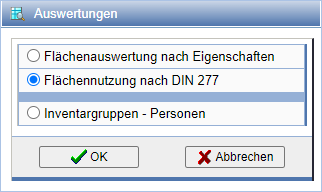
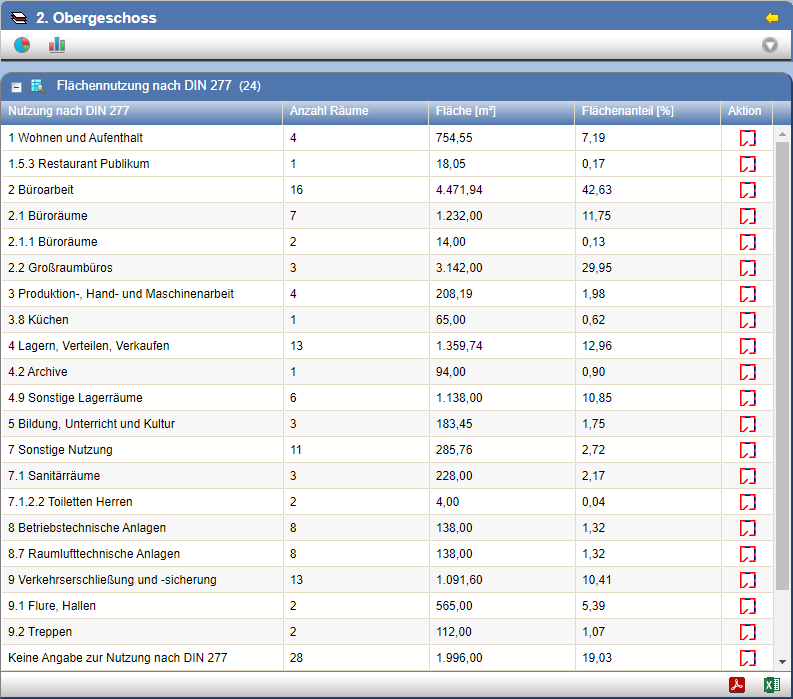
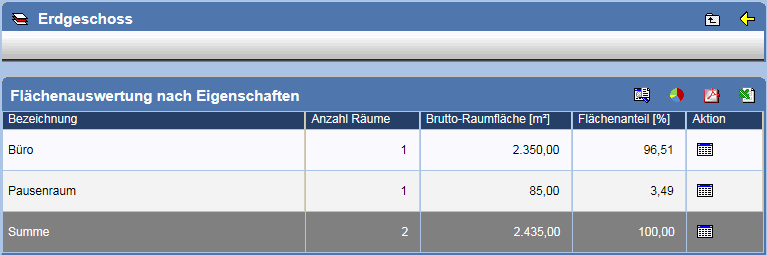
Select the option Area Evaluations According to DIN 277 and confirm with OK. A table showing the area shares of the rooms broken down by usage is now displayed.
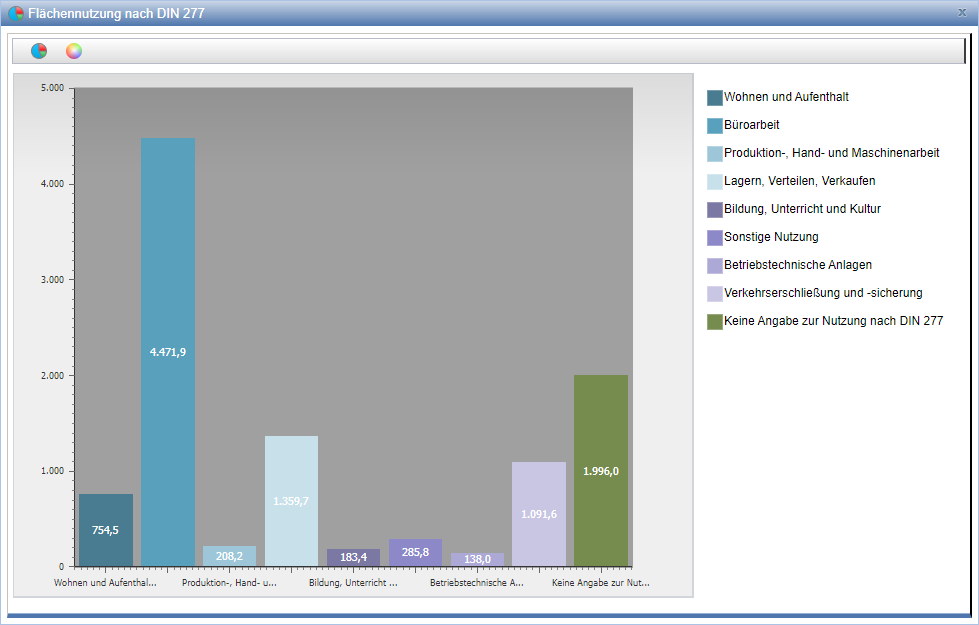
Via the action in the overview,
a graphic is created from the table.
Via the action in each column, the associated rooms are displayed below the table.

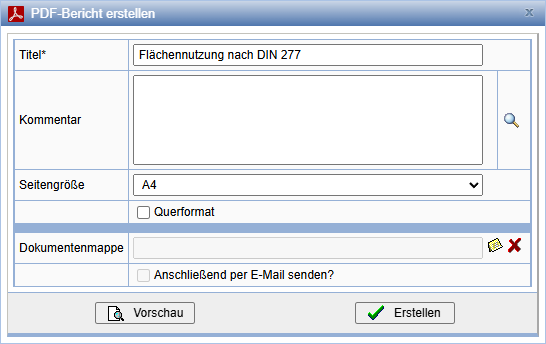
Via the action in the overview, a PDF report is created from the table. Here you can specify your own title, a comment, and a format.
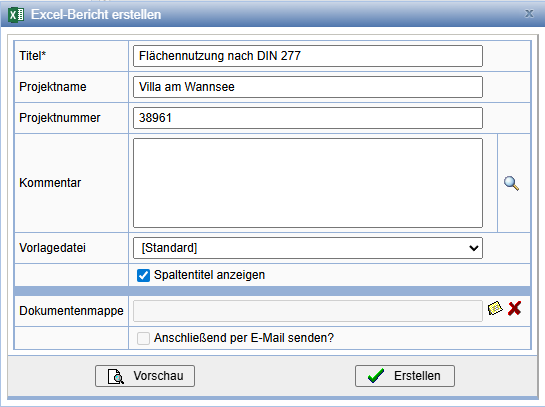
Via the action in the overview, an Excel report is created from the table. Here you can make entries for the title, project name, etc.
Area evaluations by properties
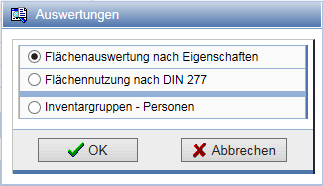
Alternatively to the area usage according to DIN 277, you can also display the area evaluations by properties. To do this, select the action on the corresponding properties page.Evaluations by pressing the icon in the action bar.
Select the option Area evaluations by properties and confirm with OK.
Select the desired property of the rooms and the area attribute, and confirm with OK
Building overview
To display the building overview according to DIN 277 or by properties, mark the root node in the object tree and select the action on the properties page.Evaluations
by pressing the action
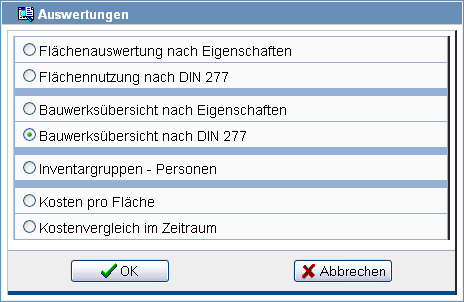
Select the option Building overview according to DIN 277 or the Building overview by properties and confirm with OK.
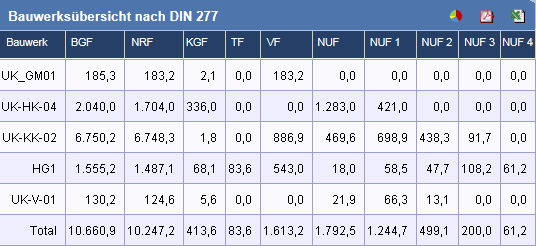
Here too, as in the output of the Land use naccording to DIN277, a PDF or Excel report can be generated from the table.
Cross-project evaluation
A cross-project evaluation is possible via search. To do this, press in the
search action bar on .
The following evaluations are available:
Import evaluations into documentation
Evaluations can be stored as PDF and Excel table in the documentation. To store the
evaluation in the documentation, select the action  .
.
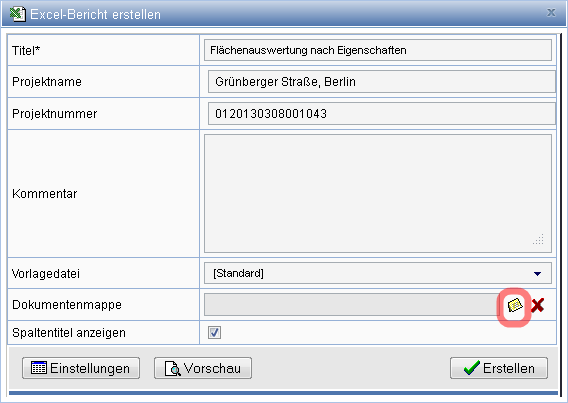
Select an existing folder from the documentation in the following dialog, or create a folder in the field Folder. Please note that folders can only be created in directories.
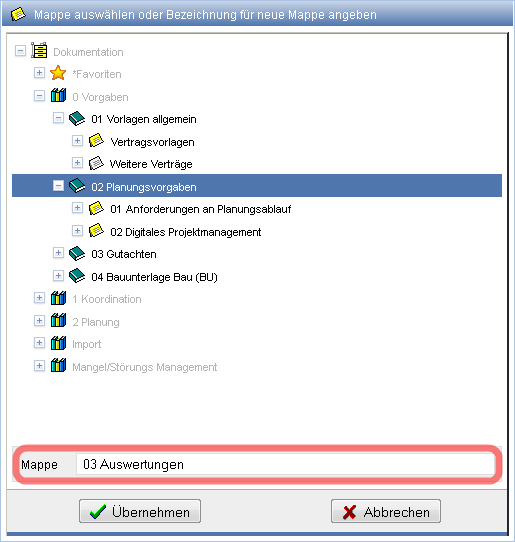
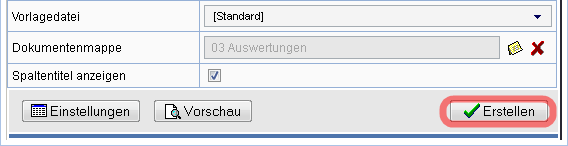
After selecting or creating the folder, save the report with the action Create.